R4
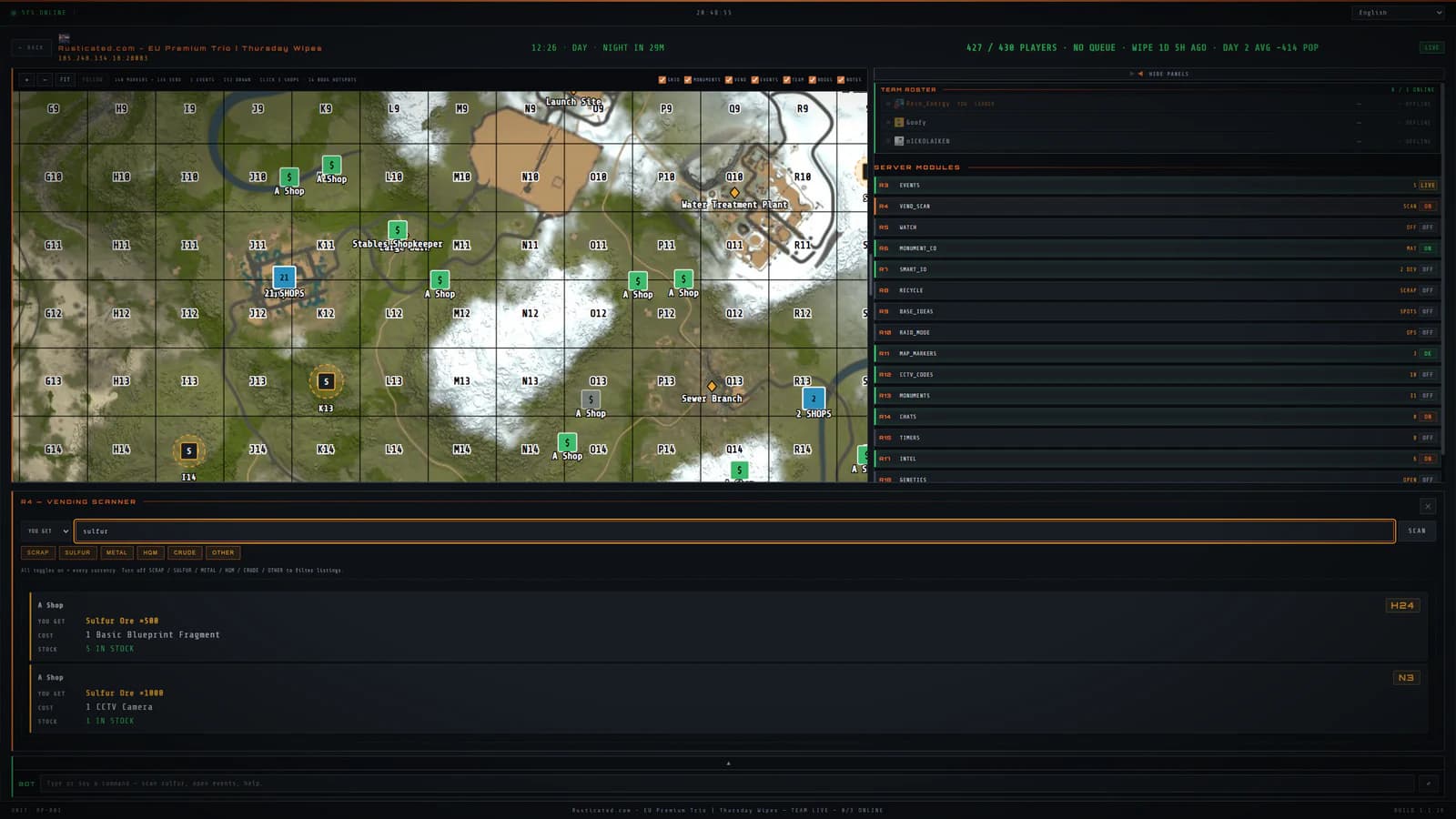
Scan every vending machine on the server at once
Not one shop. Every shop. Hunt sulfur, HQM or any deal across the whole map, filter it down, then leave a watch running and get told when the stock moves.
- The whole map, in one query
- Search by item, by price, by currency. The answer covers every machine the server will tell us about, not the four shops you happened to walk past, and the water well trade pool sits in the same search.
- Watch a material or a single shop
- Put a watch on sulfur and you are watching it server-wide. When somebody restocks, or the price moves, you hear about it.
- Push it into team chat
- The !scan command drops the top listings straight into the game, so the group sees the prices without anyone alt-tabbing out.
- How the scan works
- The scan indexed vending data supplied through Rust+ and filtered it by item, price and currency. This feature is unavailable while the app is paused.
- Your own shop, measured (R16)
- Run a shop yourself and R16 tracks it: revenue by currency, units sold, the best sellers and a running feed of sales, per machine. You stop guessing whether a listing is priced right and start reading what sold.
About Vending scan
Does it show stock, or just prices?
Both, plus condition. A listing carries what is in the machine, what it costs, which currency it wants, and the wear percentage when the item is used rather than fresh.
Can I get told when a shop restocks?
Yes. Set a stock watch on the item or the machine, and the alert goes wherever you have R101 pointed: the desktop, Telegram, or SMS.
Do I need a separate premium plan for the scan?
RustPocket is paused. New subscriptions are unavailable. The feature descriptions here refer to the last released version.
It does not work alone
Vending scan is one part of RustPocket. The related modules below show how the app was organised.
R3
The map, on a screen big enough to read
Monuments, teammates, vending machines, ore nodes, cargo and patrol heli on one desktop map. Live Rust+ data on Windows, with the phone left in your pocket.
R100
One person runs it. The whole team gets it
A bot that answers in Rust team chat: pop, time, events, scan and more. It speaks the answers out loud too. Nothing to self-host, and your team pays nothing.
RustPocket is paused. New subscriptions and downloads are closed.